Realtime multimodal interaction
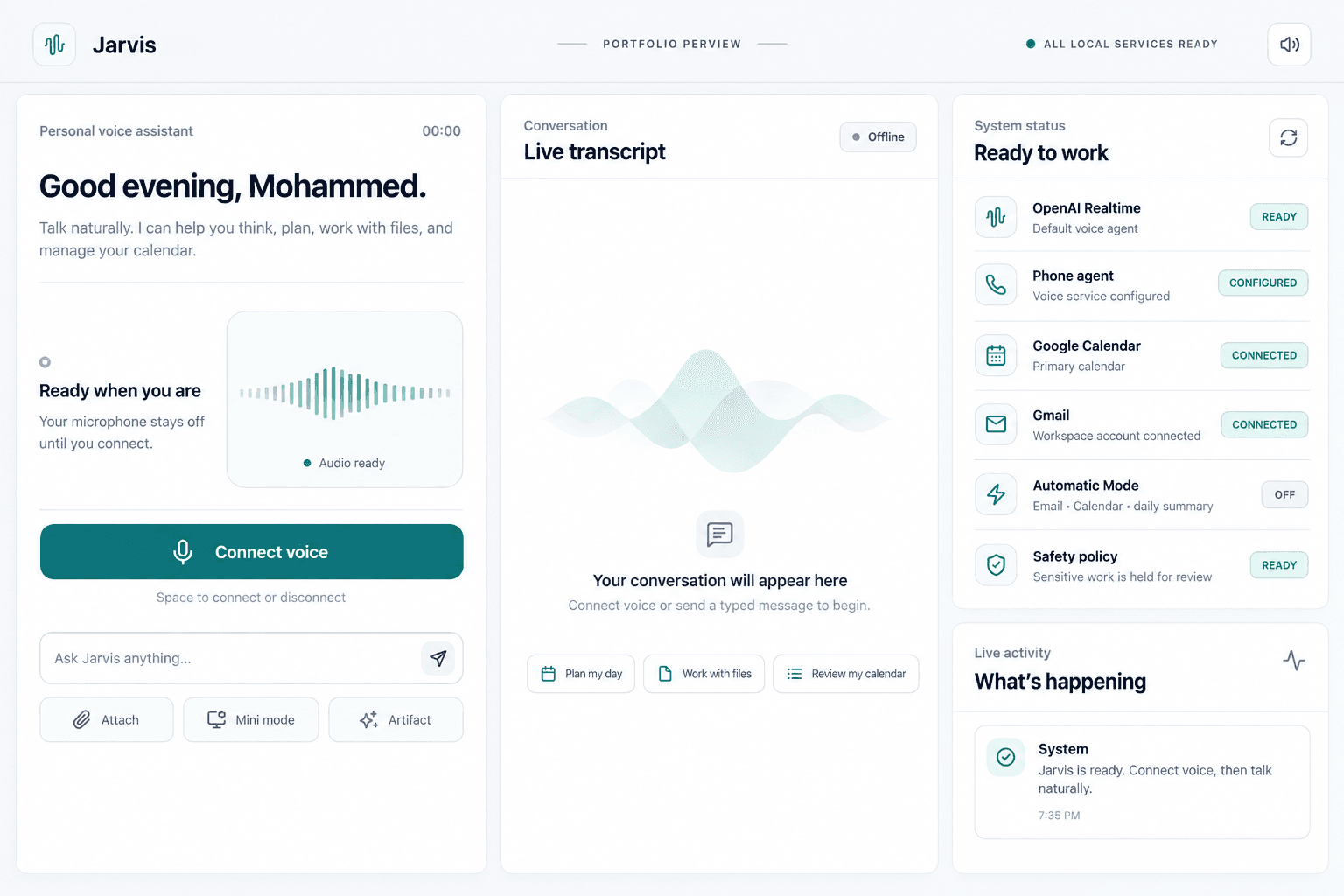
Speech-to-speech conversation, interruption handling, typed prompts, animated states, and a visual artifact surface share one desktop experience.
Working project · Local AI agent
A desktop AI companion designed to move from conversation to grounded work: voice, local files, visual artifacts, web research, images, notes, and controlled tool execution in one interface.
Product thesis
A useful personal assistant should understand the task context, show its work, and ask before crossing meaningful boundaries.
What it demonstrates
Speech-to-speech conversation, interruption handling, typed prompts, animated states, and a visual artifact surface share one desktop experience.
Users explicitly select files or one active folder. Jarvis indexes supported content progressively and retrieves focused excerpts for follow-up work.
Markdown, Mermaid diagrams, notes, images, file previews, project trees, diffs, spreadsheets, and progress states appear in a reviewable panel.
A numbered image board supports generation and editing, while xAI or Exa search can bring current web context into the workflow when configured.
Structured tool calls connect prompts to notes, workspace search, generated files, coding-assistant handoffs, and opt-in macOS computer actions.
Sending, deleting, purchasing, changing accounts or settings, external coding runs, and private-data exposure pause for explicit confirmation.
Build status
The Electron application, workspace tools, interface, TypeScript checks, production build, and dependency audit have been exercised locally. Realtime voice, image generation, and web search require the user's configured API access and available provider quota. It is presented as a desktop project—not a hosted web demo.